
AS Clone Image
Clone a drive, back it up to an image file, or restore an image — with four-pass rescue for drives that are starting to fail.
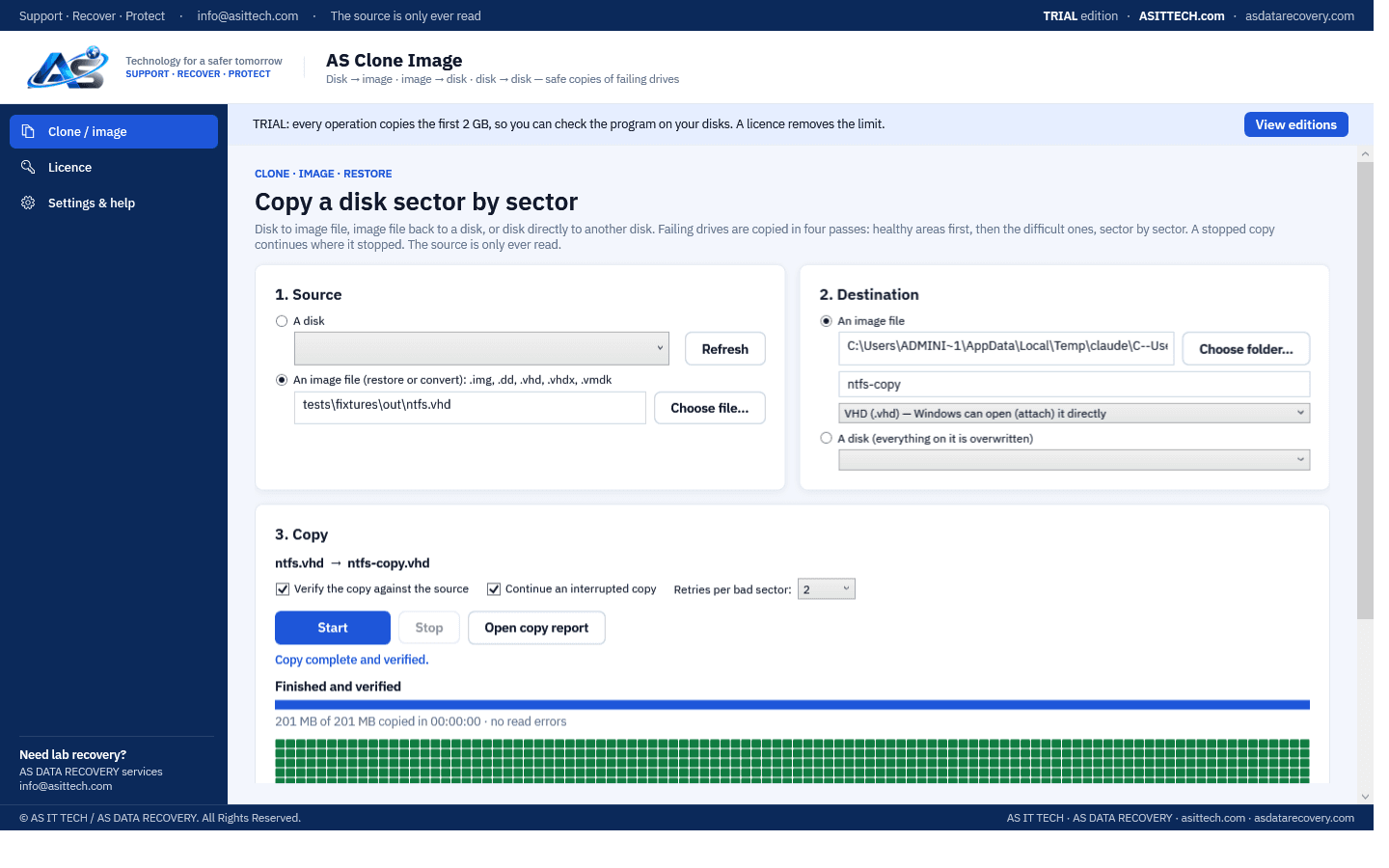
Overview
AS Clone Image makes exact, sector-by-sector copies: drive to image file, image file back to a drive, or drive directly to another drive. Drives that are starting to fail are copied in four passes — the healthy areas first, skipping trouble spots, then the skipped areas, then the difficult areas in small pieces, then each remaining bad sector is retried — and a live map shows which parts are copied, being retried or unreadable. Unreadable sectors are zero-filled and listed in the copy report. A stopped or interrupted copy continues where it stopped, and every copy can be verified against the source with a SHA-256 fingerprint. Images can be saved as VHD files that Windows opens directly, or as raw images; VHD, VHDX and VMDK virtual disks (including snapshot chains) can also be restored to a drive or converted.
Physically failed media and complex incidents need a service engagement.
Hard drive recovery servicesFeatures
- Drive → image file, image file → drive (restore), drive → drive (direct clone)
- Four-pass rescue for failing drives with per-sector retries; unreadable sectors zero-filled and listed
- Live map of the drive: copied, being retried, unreadable
- Stop at any time and continue later from the saved bad-sector map
- SHA-256 verification of the copy against the source, with a copy report
- Images as VHD (Windows can attach them directly) or raw .img
- Restore or convert VHD, VHDX and VMDK virtual disks, snapshot chains merged
- The Windows disk can never be a destination; the source is only ever read
Supported environments
- Windows 10 / 11, Windows Server 2019 and later
System requirements
- 64-bit Windows, run as Administrator
- Destination drive or free space equal to or larger than the source
- The drive Windows is running from can never be chosen as a destination
- A drive with a mechanical, firmware or PCB fault needs lab repair before it can be copied
Pricing
Choose an edition. Licences are delivered instantly after payment and managed in your customer portal.
Standard
One-year licence, one machine.
$49.99
1 activation · One-year licence, including updates during the term. Renewal is 60% of the current price.
Buy nowFree edition
The free trial copies the first 2 GB of every operation, so you can check it on your own drives. A licence removes the limit. Activate it in the program with the licence key from your order.
Download free editionWindows installer, digitally signed by Srinivasan Krishnappa (AS Data Recovery). A new release can show Chrome's “uncommon download” warning until enough people have downloaded it — choose Keep. If Windows SmartScreen appears, click More info → Run anyway.
Documentation and support
User guide, activation instructions and release notes. Licensed customers can open support tickets from the portal.
Frequently asked questions
Can it copy a drive that has bad sectors?
Yes, as long as Windows detects the drive. It copies the healthy areas first, then returns to the difficult ones in smaller pieces and retries each bad sector. Sectors that stay unreadable are zero-filled in the copy and listed in the copy report, so you know exactly what is missing.
What happens if the copy is interrupted?
Progress is saved in a bad-sector map every few seconds. Start the same copy again and it continues where it stopped instead of reading the drive again.
Can I open the image in Windows?
Yes, when it is saved as VHD: in Disk Management choose Action → Attach VHD, or double-click the file. Raw .img images work with any imaging or recovery tool.
Will the copy be identical?
Every copy can be verified against the source; the report records the SHA-256 fingerprint. Areas the source could not read are the only difference, and they are listed.
How do I activate after buying?
Your licence key (ASCI-…) arrives by e-mail and in your account. In the program open Licence, enter the key under Activate online and click Activate.
Prefer us to recover it for you?
Our lab has already solved 656+ ransomware and data recovery cases. Send us the files instead of running the software yourself: we tell you exactly what we can recover after a free assessment, and if we cannot recover your data, you do not pay.
- ✓ Free assessment before you pay anything
- ✓ No data, no charge
- ✓ NDA on request
Email: info [at] asittech.com · Mon–Fri, 9:00–18:00 IST