
AS DBF Recovery — dBase / FoxPro DBF Recovery Software
Recover dBase, FoxPro and Visual FoxPro tables (.DBF) that will not open — damaged, deleted records, or hit by ransomware.
Overview
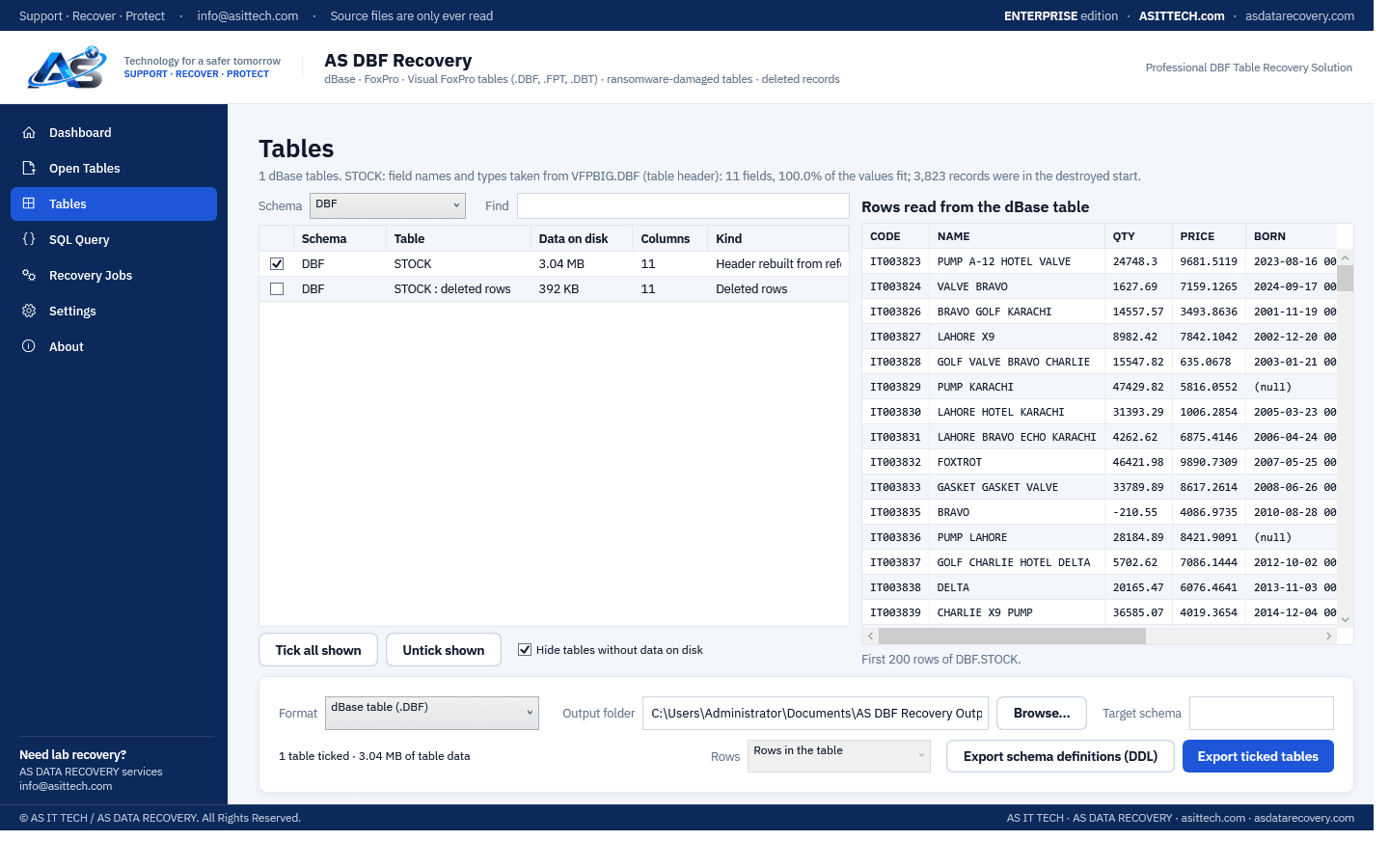
AS DBF Recovery reads dBase III/IV, FoxPro and Visual FoxPro tables directly — with their .FPT / .DBT memo files — and recovers their records, including records marked deleted. It is built for the tables accounting, inventory and billing programs keep, and for the case where those programs no longer open them: a damaged table, or a table hit by ransomware that encrypts the start of each file. Such ransomware destroys the table header with its list of fields, and the first records. AS DBF Recovery works out the record length and the fields from the records that survive (text, numbers, dates, date-times, integers, currency, logical fields), so the rest of the table is recovered. To get the real field names back, add a reference: an undamaged copy of the same table of any age — even an empty one from the program's setup — its structure list, or an old export of its rows as CSV; every reference is checked against the records before it is used. The result is saved as a repaired .DBF the owning program can open again, with the surviving records copied unchanged, or as CSV for Excel, or as a SQL script. Records inside the destroyed part of a file cannot be brought back, and the program says how many were lost. The original files are only ever read.
Physically failed media and complex incidents need a service engagement.
Ransomware data recovery servicesFeatures
- dBase III / IV, FoxPro and Visual FoxPro tables, with .FPT and .DBT memo files
- Tables whose header ransomware destroyed: record length and fields worked out from the surviving records
- Real field names from a reference: an undamaged or empty copy of the table, its structure list, or an old CSV export
- Every reference checked against the records; one from another table is refused with the reason
- Records marked deleted recovered as their own table
- Export as a repaired .DBF (header rebuilt, records copied unchanged, memo file copied), CSV or SQL script
- Visual FoxPro date-times, integers, currency and NULL values; code pages from the table header
- Files with a ransomware extension added (TABLE.DBF.locked) are recognised
- Browse and query the tables before exporting (SQL SELECT on one table)
Supported environments
- Windows 10 / 11, Windows Server 2016 and later
System requirements
- 64-bit Windows
- The table files (.DBF) and, where the table has memo fields, its .FPT or .DBT file in the same folder
- For the real field names of a table whose header was destroyed: any undamaged copy of the same table, or a CSV of it
- A separate drive or folder to save the recovered tables to
Pricing
Choose an edition. Licences are delivered instantly after payment and managed in your customer portal.
Professional
One-year licence, one machine.
$800
1 activation · One-year licence, including updates during the term. Renewal is 60% of the current price.
Buy nowFree edition
The free edition opens the tables, works out the fields of damaged ones, applies references and shows every record, so you see exactly what can be recovered before you buy. Saving the recovered tables needs a licence.
Download free editionWindows installer, digitally signed by Srinivasan Krishnappa (AS Data Recovery). A new release can show Chrome's “uncommon download” warning until enough people have downloaded it — choose Keep. If Windows SmartScreen appears, click More info → Run anyway.
Documentation and support
User guide, activation instructions and release notes. Licensed customers can open support tickets from the portal.
Frequently asked questions
Ransomware encrypted our .DBF files. Can the data be recovered without paying?
Often a large part of it. Many ransomware families encrypt only the start of each file to work faster — for a table that is the header with the field list and the first records. The rest of the records are still readable. AS DBF Recovery finds them, works out the fields, and saves them as a repaired table. Records that were inside the encrypted start are lost; the program tells you how many. Keep the encrypted originals in case a decryptor is published later.
How do I get the real field names back?
Add a reference file: any undamaged copy of the same table (an old backup, a copy from another computer, or an empty table from the program's setup), its structure list as CSV, or an old export of its rows as CSV. The program checks it against the surviving records and uses the original names and types. Without a reference the fields get generated names (FIELD01, FIELD02...) with their values intact.
Will our accounting program open the recovered table?
The DBF export writes a table with a proper header and the surviving records copied byte for byte, deleted records still marked as deleted, and the memo file copied with it. With the real field names from a reference it is the same table minus the records that were destroyed. Indexes (.CDX, .IDX) are not copied; the program rebuilds them (for example REINDEX in FoxPro).
Can it recover deleted records?
Yes. Records marked deleted stay in a .DBF file until the table is packed. They are listed as the table's deleted rows and can be exported as a separate table with those records made live again.
Does it work with Clipper, dBase IV or FoxPro 2.x tables?
Yes: dBase III and IV, Clipper, FoxBASE+, FoxPro 2.x and Visual FoxPro tables, with .DBT and .FPT memo files.
How do I activate after buying?
Your licence key (ASDB-…) arrives by e-mail and in your account. In the program open Settings, Licence, enter the key under Activate online and click Activate.
Prefer us to recover it for you?
Our lab has already solved 656+ ransomware and data recovery cases. Send us the files instead of running the software yourself: we tell you exactly what we can recover after a free assessment, and if we cannot recover your data, you do not pay.
- ✓ Free assessment before you pay anything
- ✓ No data, no charge
- ✓ NDA on request
Email: info [at] asittech.com · Mon–Fri, 9:00–18:00 IST